Provider File Viewer
Explore and inspect CMS provider data (IPSF and OPSF).
Overview
The Provider File Viewer allows you to browse the complete Inpatient Provider Specific File (IPSF) and Outpatient Provider Specific File (OPSF) datasets. These datasets are the source of truth for many payment calculations.
Accessing the Viewer
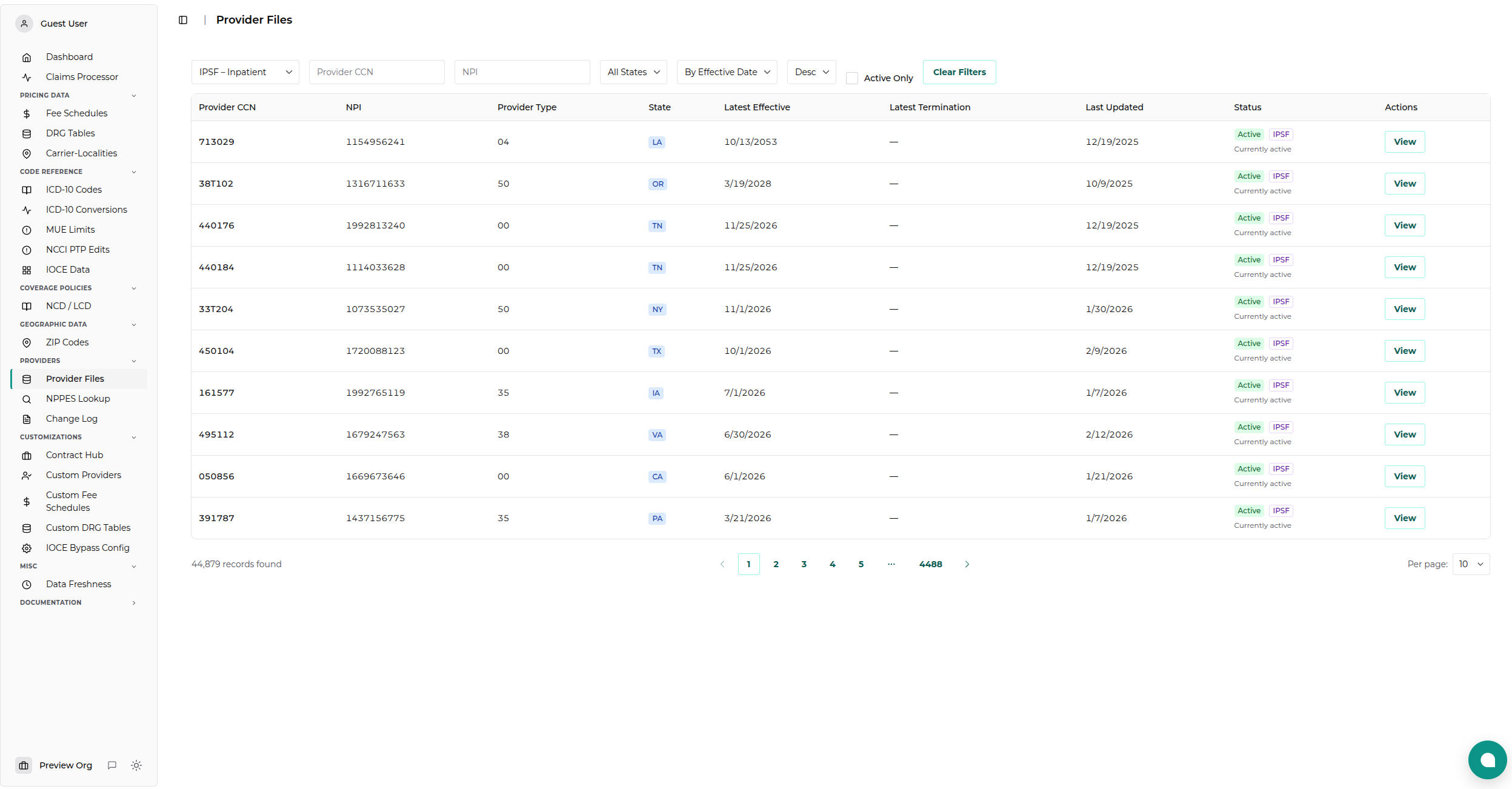
Navigate to Providers → Provider Files in the dashboard.
Filtering and Searching
The viewer provides powerful filtering capabilities to help you find specific records:
- Dataset: Toggle between IPSF (Inpatient) and OPSF (Outpatient).
- Search: General search across CCN, NPI, and Provider Type.
- Provider CCN: Filter by specific CMS Certification Number.
- NPI: Filter by National Provider Identifier.
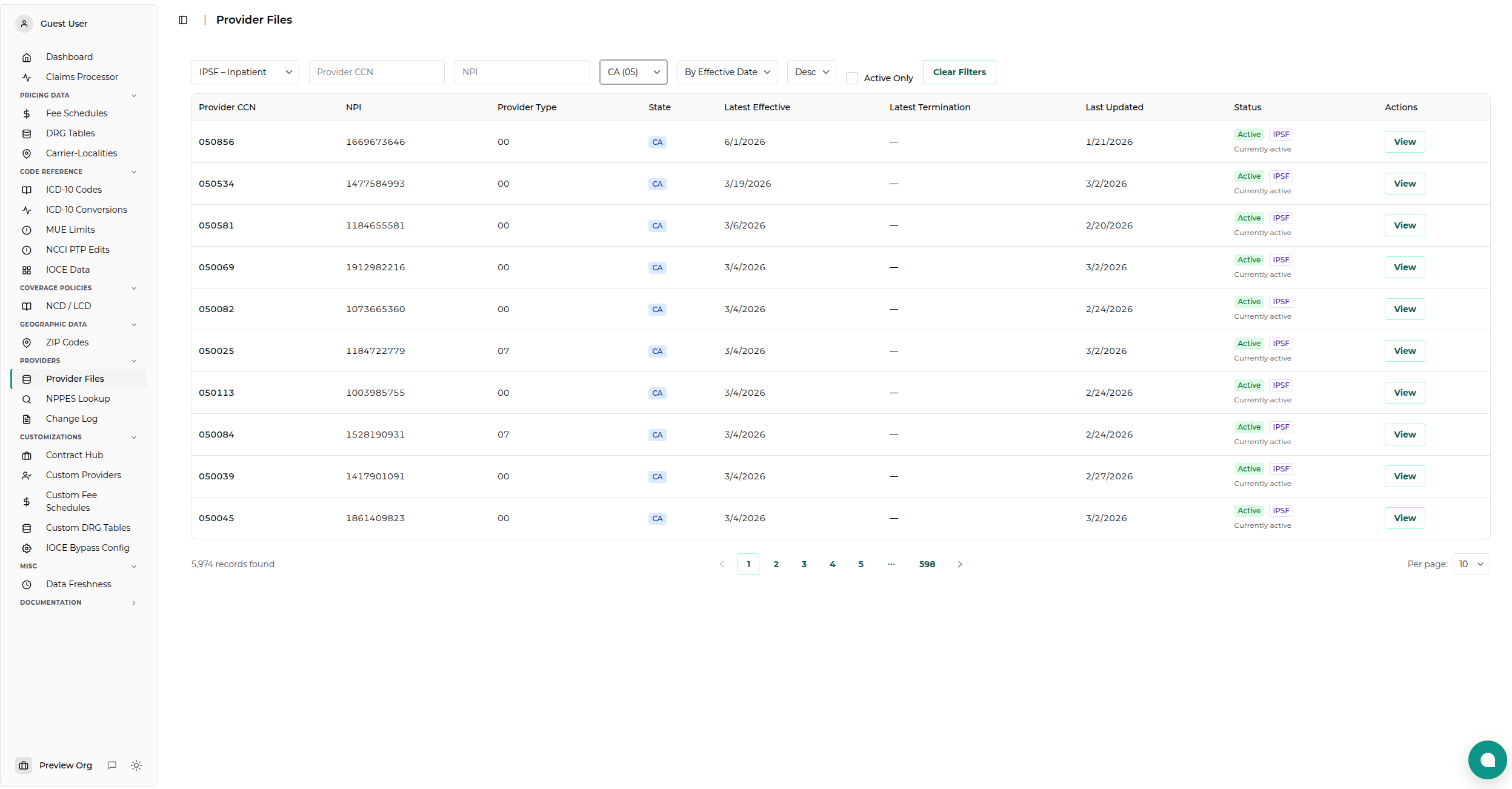
- State: Filter by state code.
- Active Only: Check this box to hide terminated or historical records.
Sorting
You can sort the results by: - Effective Date - Provider CCN - Termination Date - Last Updated
Viewing Provider Details
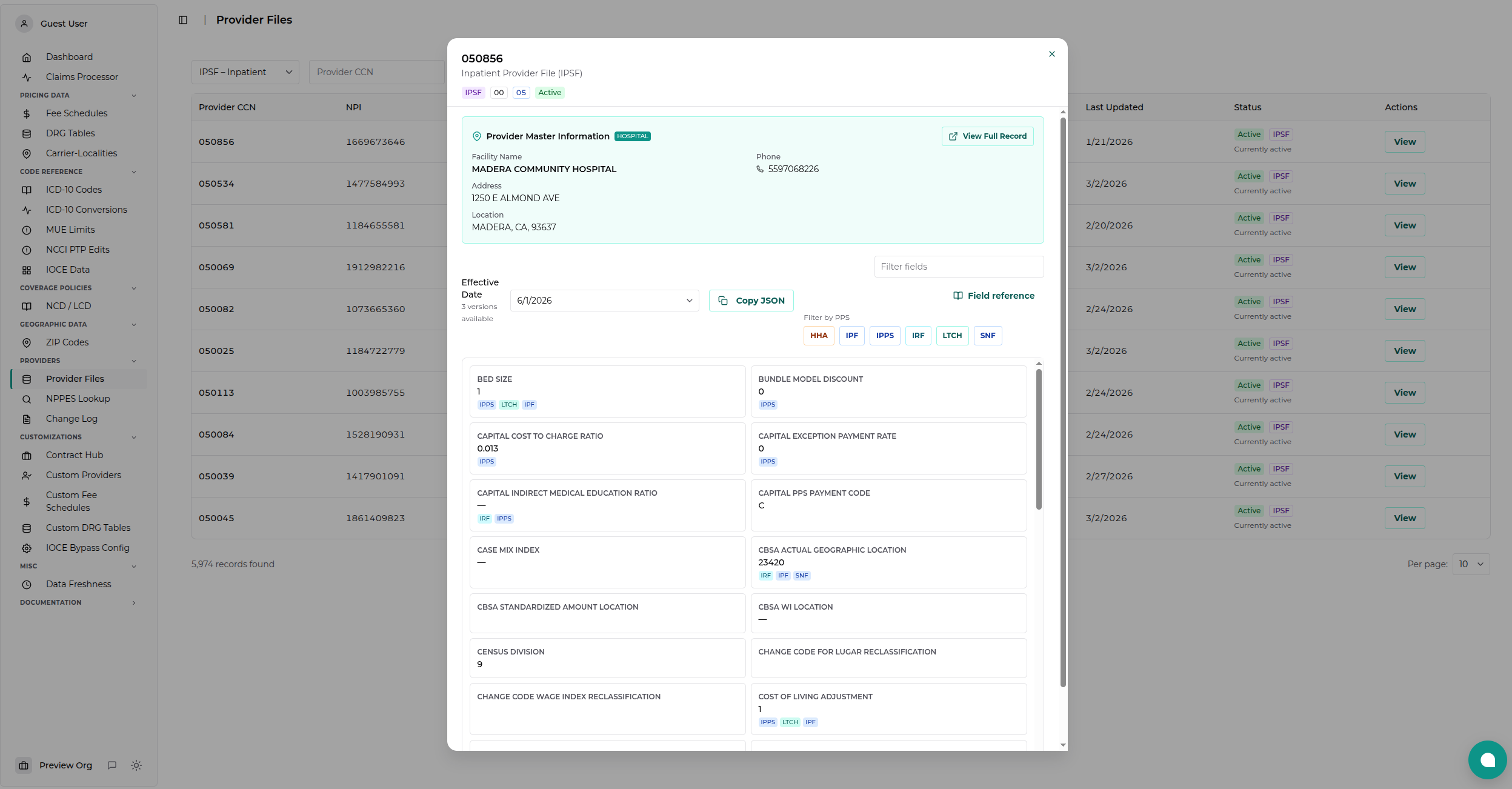
Click the View button on any row to open the detailed record view. This view displays all available fields for that provider record, including:
- Base Rates: Hospital-specific base rates and standardized amounts.
- Adjustment Factors: Wage index, COLA, and other geographic adjustments.
- Quality Metrics: VBP, HAC, and Readmission adjustment factors.
- Cost-to-Charge Ratios: Operating and Capital CCRs.
[!TIP] Use the "Active Only" filter to quickly find the currently effective record for a provider.