ICD-10 Reference Data
Complete guide to browsing ICD-10-CM diagnosis codes and ICD-10-PCS procedure codes.
Overview
The ICD-10 Reference provides comprehensive access to:
ICD-10-CM (Diagnosis Codes): - Tabular list of diagnosis codes - Alphabetic index for looking up conditions - Drug/Poison table for toxicology coding - Neoplasm table for tumor classification
ICD-10-PCS (Procedure Codes): - Procedure code search and details - Alphabetic index for procedures - Code builder wizard for constructing 7-character codes
Access: Navigate to Code Reference → ICD-10 Codes from the dashboard sidebar.
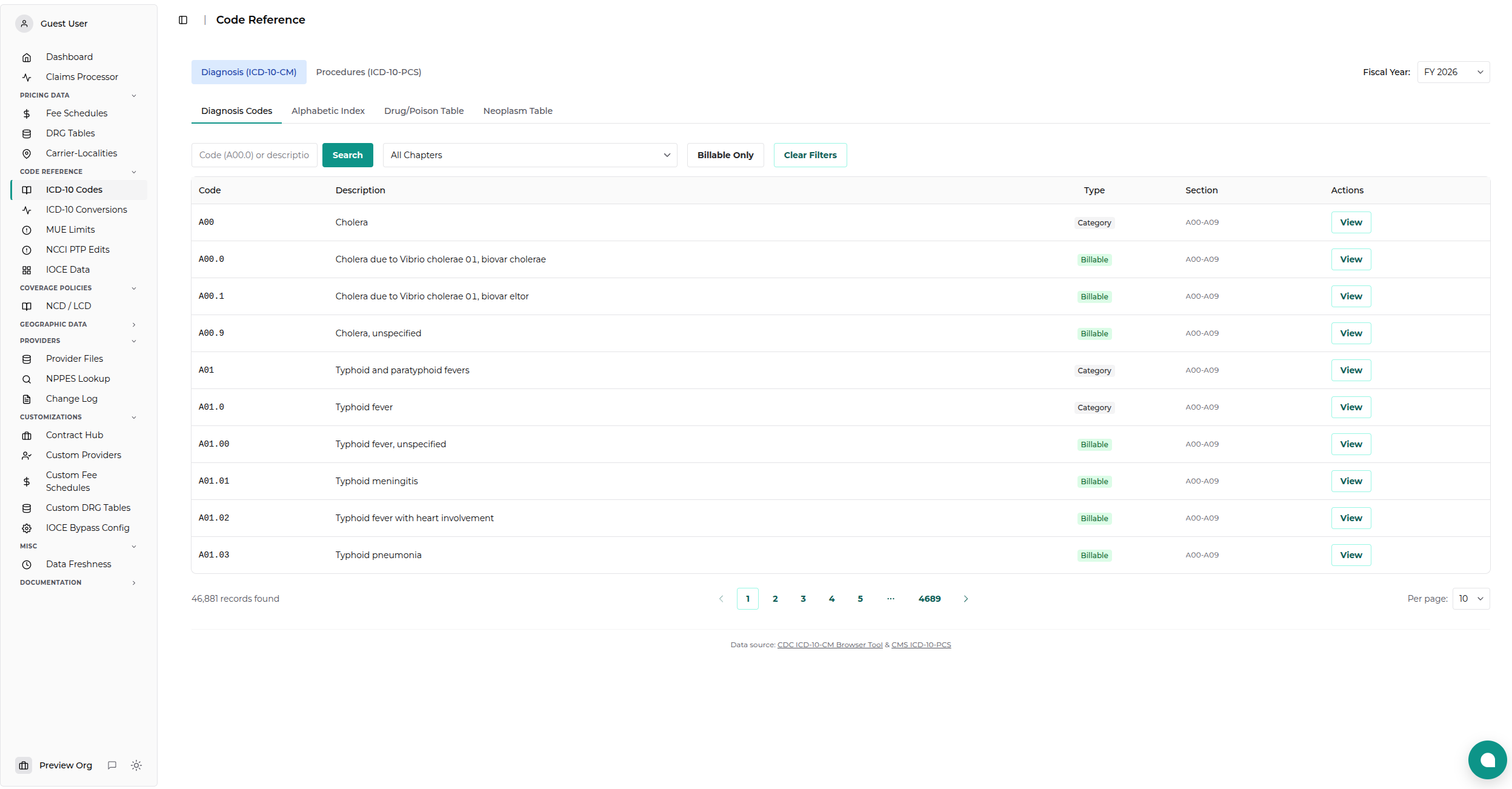
Selecting a Fiscal Year
Both code sets allow you to select a specific fiscal year:
- Use the Fiscal Year dropdown in the header
- Select the desired year (e.g., FY 2025)
- All data views update to show codes for that year
[!NOTE] ICD-10 codes are updated annually. Select the fiscal year matching your claim dates.
ICD-10-CM (Diagnosis Codes)
Switch to the Diagnosis (ICD-10-CM) tab to access diagnosis codes. This view has four sub-tabs:
Diagnosis Codes Tab
Browse and search the tabular list of diagnosis codes.
Search Options:
- Code - Enter a code prefix (e.g., A00 or J18.9)
- Description - Search in code descriptions
- Chapter - Filter by chapter number
- Billable Only - Show only billable (leaf) codes
Results Display: | Field | Description | |-------|-------------| | Code | ICD-10-CM code (e.g., A00.0) | | Description | Full description of the condition | | Billable | Whether the code can be used on claims | | Chapter | Chapter category |
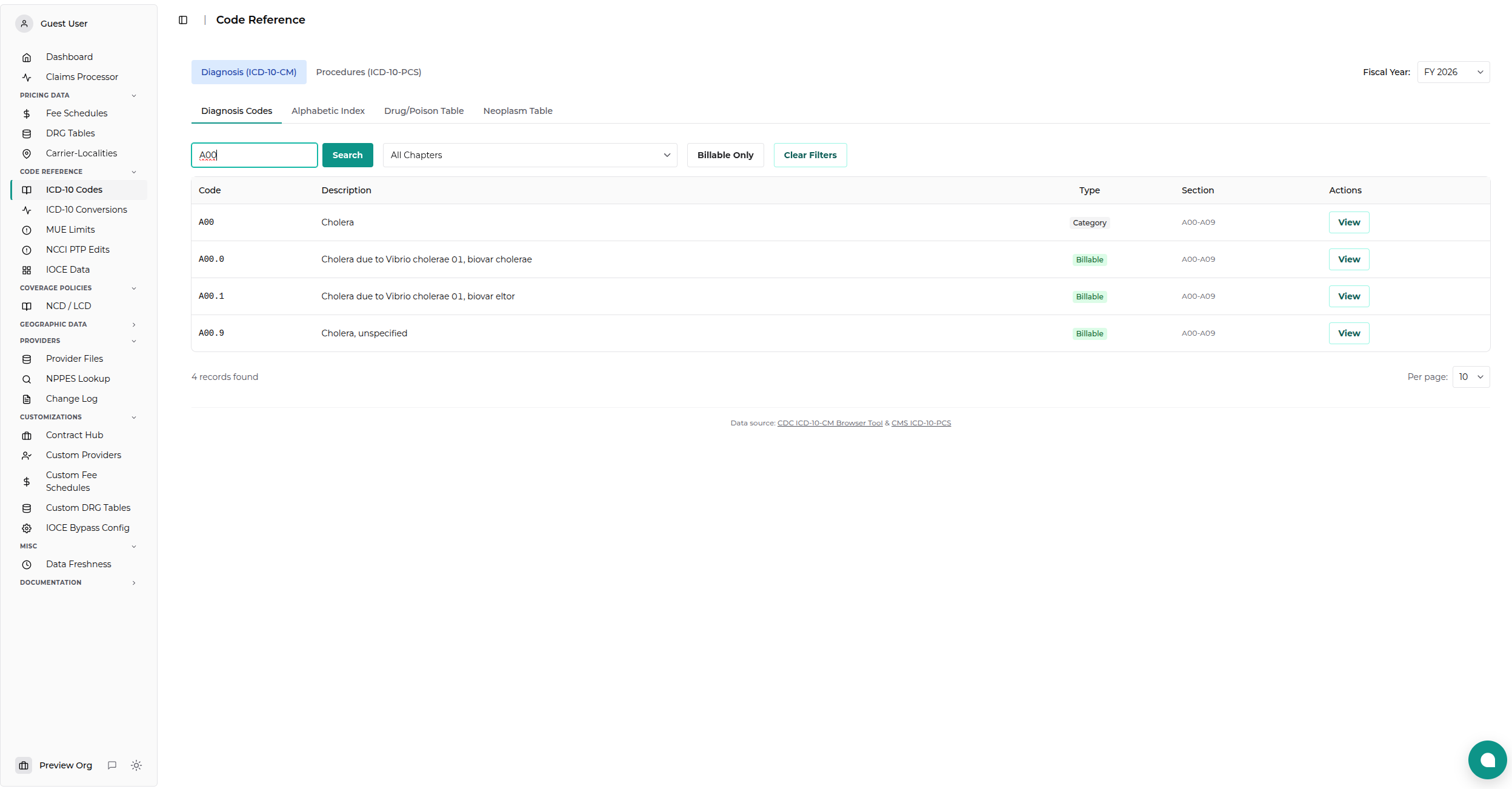
Tip: Click a code to view its hierarchy (parent and child codes).
Alphabetic Index Tab
Look up conditions by term to find the appropriate code.
Search Options: - Term - Search for medical terms (e.g., "diabetes", "fracture") - Letter - Filter by first letter - Index Type - Main index (diseases) or External causes
How to Use: 1. Enter a term in the search box 2. Review matching index entries 3. Follow "see" and "see also" references 4. Note the suggested code(s) 5. Verify in the tabular list before using
Example: - Search: "Pneumonia" - Result: "Pneumonia - see also Pneumonitis, J18.9" - Codes listed for specific types (viral, bacterial, etc.)
Drug/Poison Table Tab
Find codes for drug-related poisoning, adverse effects, and underdosing.
Search Options: - Substance - Search by drug or chemical name - Letter - Filter by first letter - Code - Search across all code columns
Table Columns: | Column | Description | |--------|-------------| | Substance | Drug or chemical name | | Accidental | Code for accidental poisoning (X40-X49) | | Self-Harm | Code for intentional self-harm (X60-X69) | | Assault | Code for assault/homicidal poisoning (X85-X90) | | Undetermined | Code when intent is unknown (Y10-Y19) | | Adverse Effect | Code for therapeutic use adverse effects (T36-T50) | | Underdosing | Code for taking less than prescribed |
Usage: 1. Search for the substance involved 2. Select the appropriate column based on intent 3. Use the displayed code as a secondary diagnosis
Neoplasm Table Tab
Find codes for tumors based on anatomic site and behavior.
Search Options: - Site - Search by anatomic location (e.g., "lung", "breast") - Letter - Filter by first letter
Table Columns: | Column | Description | |--------|-------------| | Site | Anatomic location of neoplasm | | Malignant Primary | Code for primary cancer (C00-C75) | | Malignant Secondary | Code for metastatic cancer (C77-C79) | | In Situ | Code for carcinoma in situ (D00-D09) | | Benign | Code for benign tumors (D10-D36) | | Uncertain | Code for uncertain behavior (D37-D48) | | Unspecified | Code when behavior unknown (D49) |
Usage: 1. Search for the anatomic site 2. Select the column matching the tumor behavior 3. Use the displayed code for your diagnosis
ICD-10-PCS (Procedure Codes)
Switch to the Procedures (ICD-10-PCS) tab to access procedure codes.
Understanding PCS Codes
ICD-10-PCS codes are exactly 7 characters, where each position has a specific meaning:
| Position | Name | Example |
|---|---|---|
| 1 | Section | 0 = Medical and Surgical |
| 2 | Body System | 2 = Heart and Great Vessels |
| 3 | Root Operation | 1 = Bypass |
| 4 | Body Part | 0 = Coronary Artery, One Artery |
| 5 | Approach | 0 = Open |
| 6 | Device | 9 = Autologous Venous Tissue |
| 7 | Qualifier | W = Aorta |
Code Search
Search for PCS codes by:
- Code fragment - Enter partial codes (e.g., 001 for heart bypass)
- Description - Search in code descriptions
Alphabetic Index
Browse the PCS alphabetic index: 1. Start with a main term (e.g., "Bypass") 2. Drill down through sub-terms 3. Find the suggested code or table reference 4. Use the code builder to construct the full code
Code Builder
Build PCS codes step by step: 1. Start with an empty code or partial code 2. Select valid options for each position 3. View definitions and explanations for each choice 4. Complete all 7 positions to get a valid code
ICD-10 Code Conversions
In addition to the Code Reference, a separate ICD-10 Data viewer tracks code changes between fiscal years.
Access: Navigate to Code Reference → ICD-10 Conversions from the dashboard sidebar.
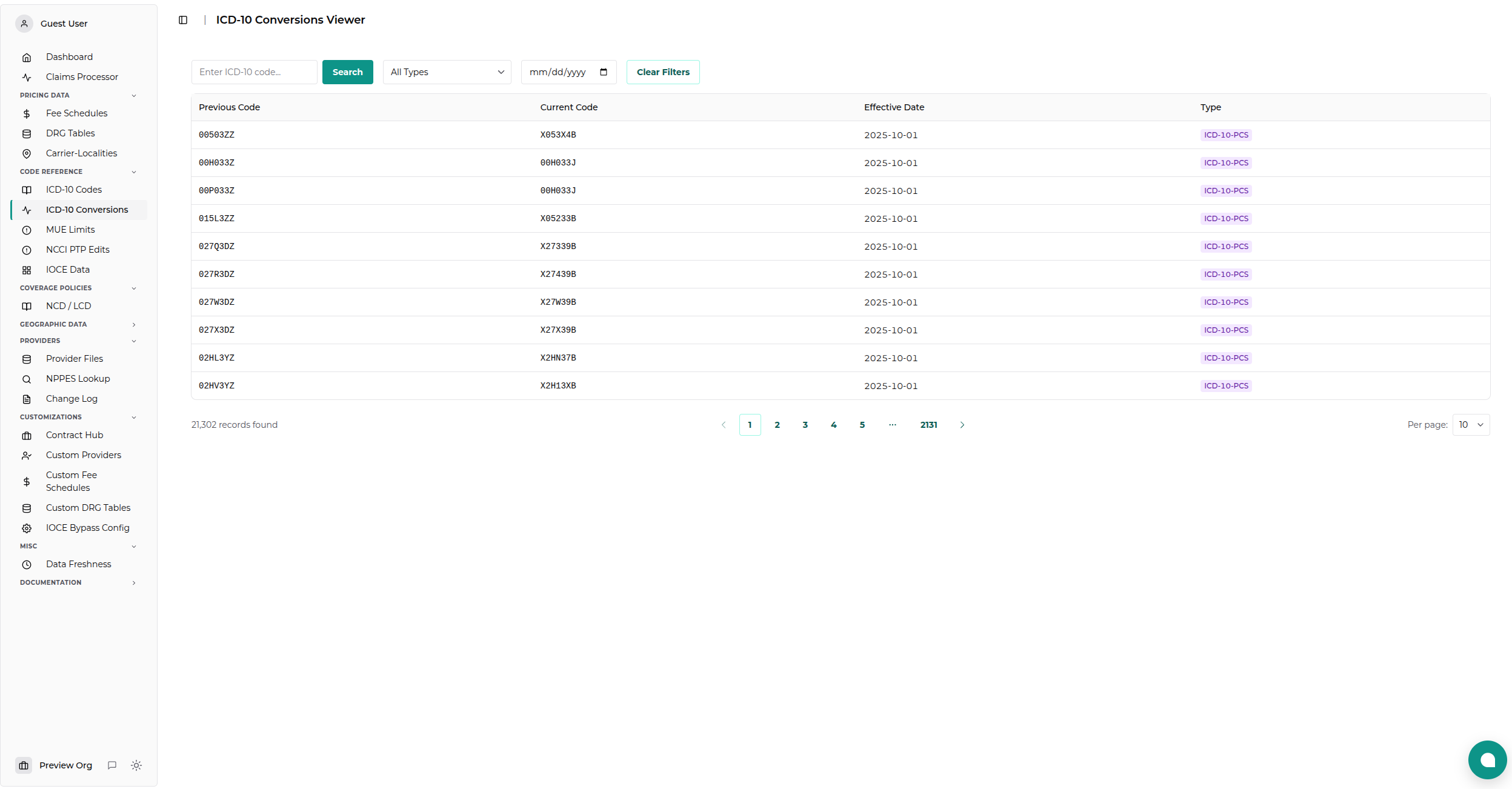
Conversion Records
Track annual code set updates: - Code changes - When a code is replaced - New codes - Additions to the code set - Deleted codes - Codes removed from use
Search Options: - Code - Search previous or current codes - Code Type - Filter CM or PCS conversions - Effective Date - Find changes active on a specific date
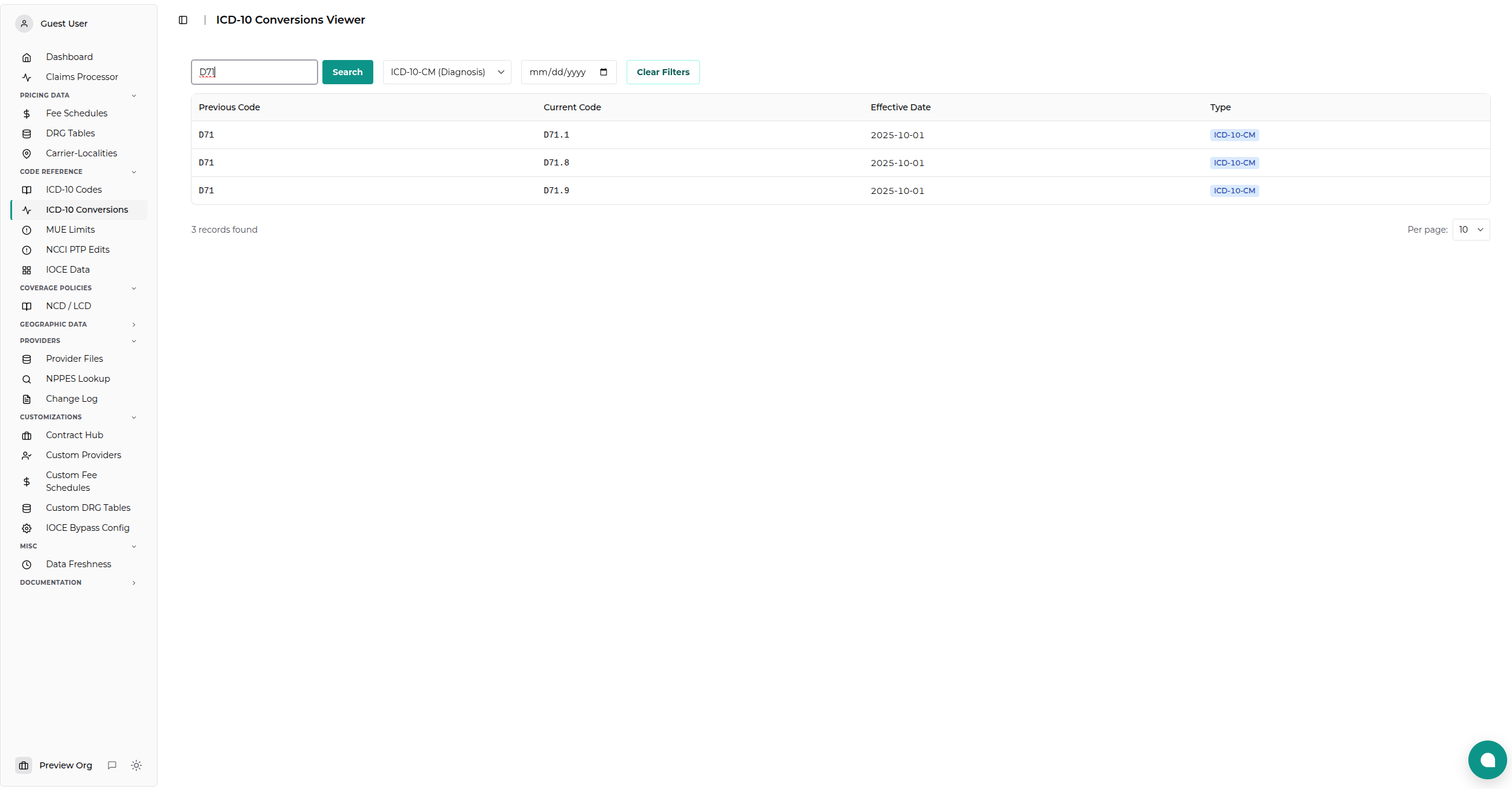
Data Sources
ICD-10 data is sourced from: - CDC ICD-10-CM Browser Tool - CMS ICD-10-PCS Files
Data is updated annually with the October fiscal year release.
Related Topics
- ICD-10 API Reference - Programmatic access
- Fee Schedules - Payment rates
- Coverage Data - LCD/NCD policies