DRG Tables Viewer
The DRG Tables Viewer allows you to explore Medicare Severities Diagnosis Related Groups (MS-DRG) weights, length of stay parameters, and payment flags. It also supports creating custom DRG tables for modeling scenarios.
Overview
Inpatient Prospective Payment System (IPPS) payments are primarily based on the MS-DRG assigned to a discharge. Each DRG has a specific Relative Weight that determines the base payment amount, as well as Length of Stay (LOS) parameters that affect outlier and transfer payments.
Accessing the Viewer
- Navigate to Pricing Data → DRG Tables from the main sidebar.
- Select DRG Tables.
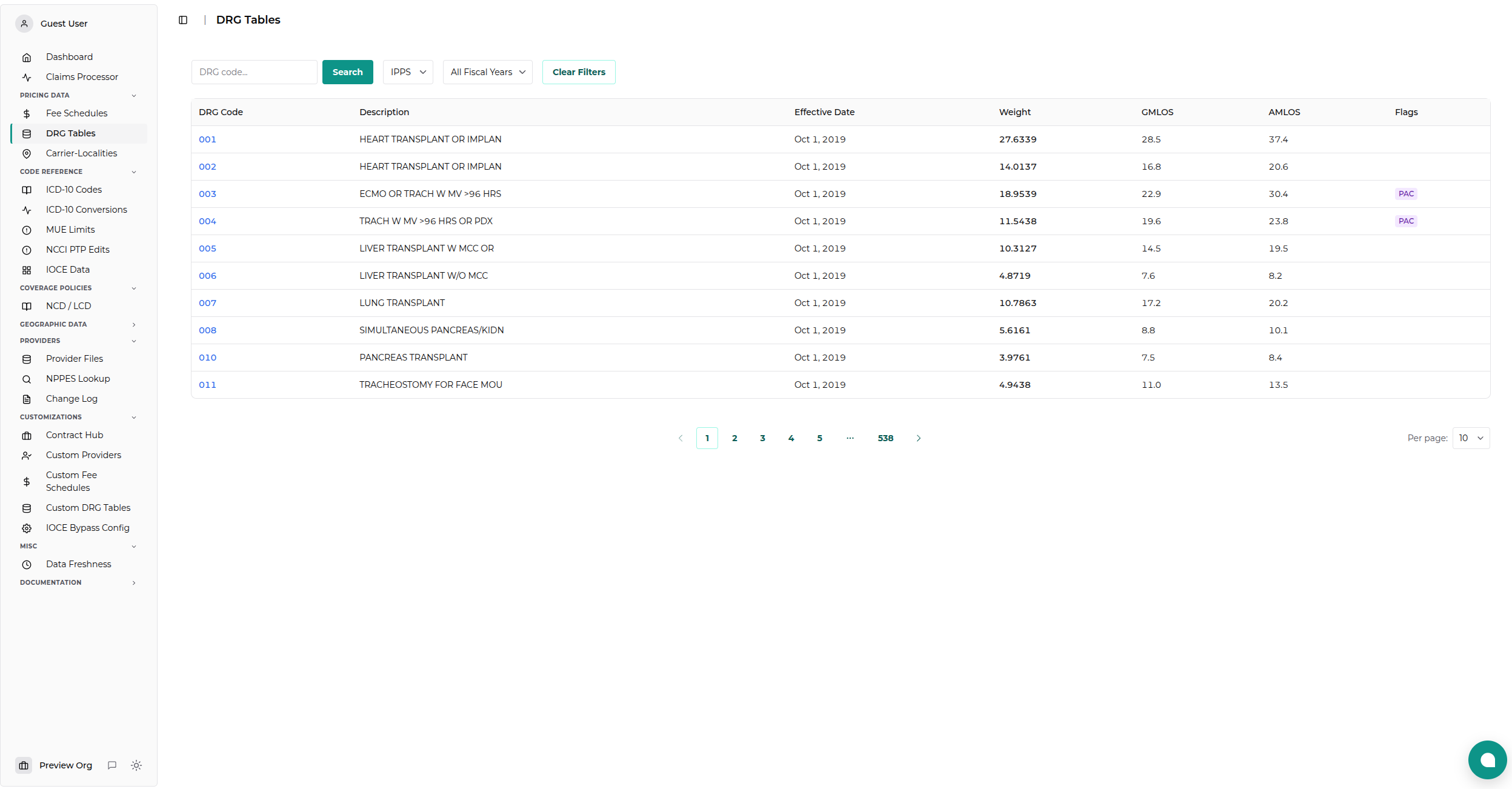
Searching and Filtering
The viewer provides several ways to find specific DRG data:
Fiscal Year
Select the Fiscal Year (FY) to view data for that specific period. Medicare fiscal years run from October 1st to September 30th. - Example: FY 2025 covers Oct 1, 2024 - Sep 30, 2025.
DRG Code
Enter a 3-digit DRG Code (e.g., "470") to find a specific group. You can search for multiple codes or partial matches.
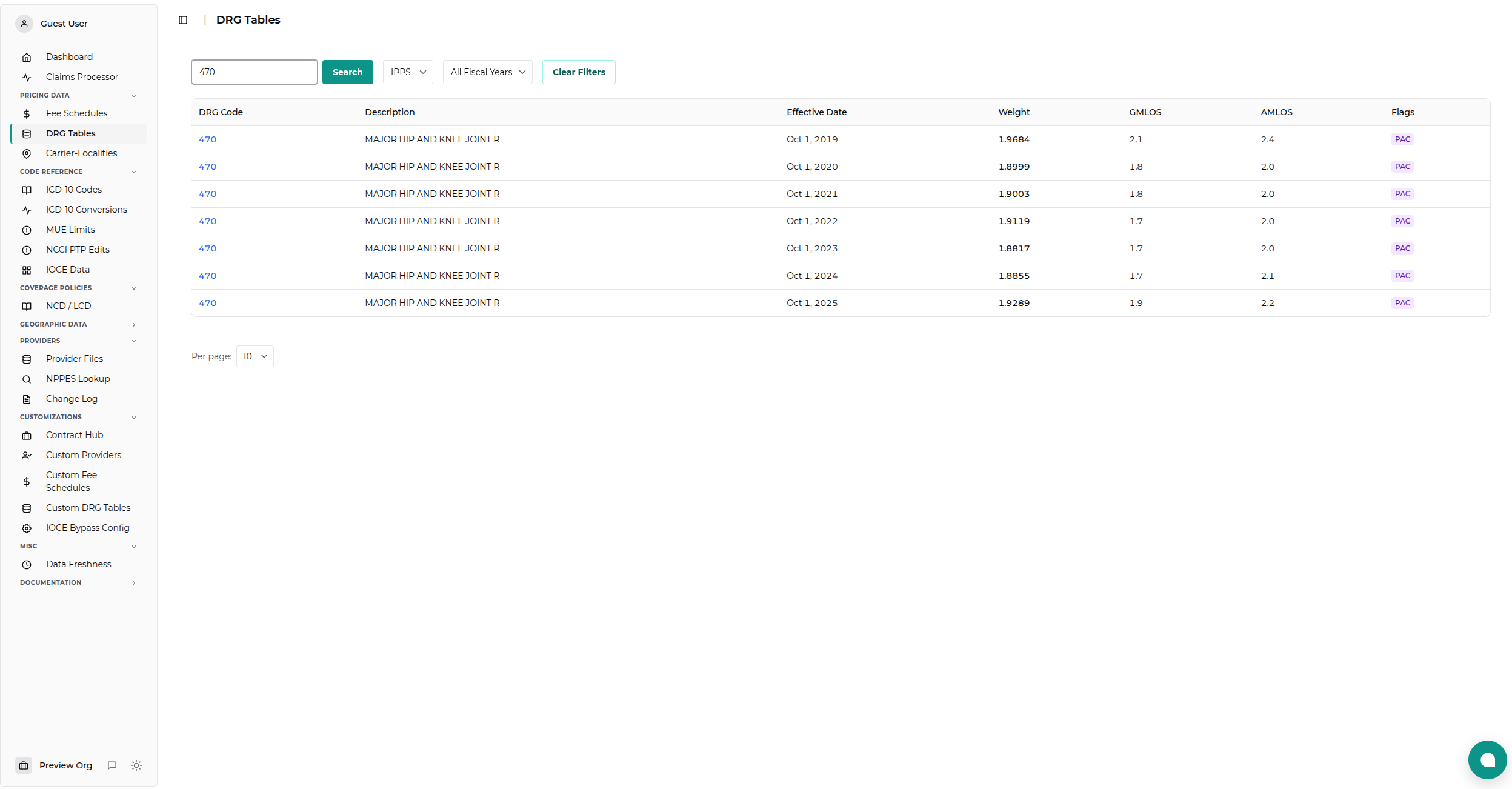
Understanding the Data
The results table displays the following key metrics:
| Column | Description |
|---|---|
| DRG Code | The 3-digit identifier for the group. |
| Description | The clinical description of the DRG. |
| Weight | The relative weight. Higher weights result in higher payments. |
| GMLOS | Geometric Mean Length of Stay. Used to calculate per-diem rates for transfer cases. |
| AMLOS | Arithmetic Mean Length of Stay. Used to calculate the cost outlier threshold. |
| Flags | Special payment indicators (see below). |
Payment Flags
- LV Low Volume: Indicates a low volume DRG.
- PAC Post Acute Care: Subject to the Post Acute Care Transfer policy (paid as a transfer if discharged to certain settings).
- SPPAC Special Payment PAC: Subject to a special payment formula under the PAC Transfer policy.
Custom DRG Tables
The viewer allows you to create Custom DRG Tables to model "what-if" scenarios or maintain internal overrides.
Creating a Custom Table
- Select Custom Tables in the filter section.
- Click Create New Table.
- Enter a Contract ID (a unique name for your table).
- Select a Source Year to use as the baseline data.
- Click Create Table.
Editing Entries
Once a custom table is created: 1. Select it from the list. 2. Find the DRG you want to modify. 3. Click the Edit button on the row. 4. Modify the Weight, LOS, or Flags. 5. Click Save.
Exporting Data
You can export any table (Default or Custom) to CSV by clicking the Download CSV button (if available) or using the API.
Data Source
Standard DRG data is sourced directly from the CMS Inpatient Prospective Payment System (IPPS) Final Rule data files.