Medicare Coverage Data Viewer
Complete guide to viewing and searching CMS Medicare Coverage data including National Coverage Determinations (NCDs), Local Coverage Determinations (LCDs), and Billing & Coding Articles.
Overview
The Medicare Coverage Data Viewer provides access to CMS coverage policies that determine what Medicare will pay for. These documents provide critical guidance for billing and coding decisions.
Access: Navigate to Coverage Policies → NCD / LCD from the dashboard sidebar.
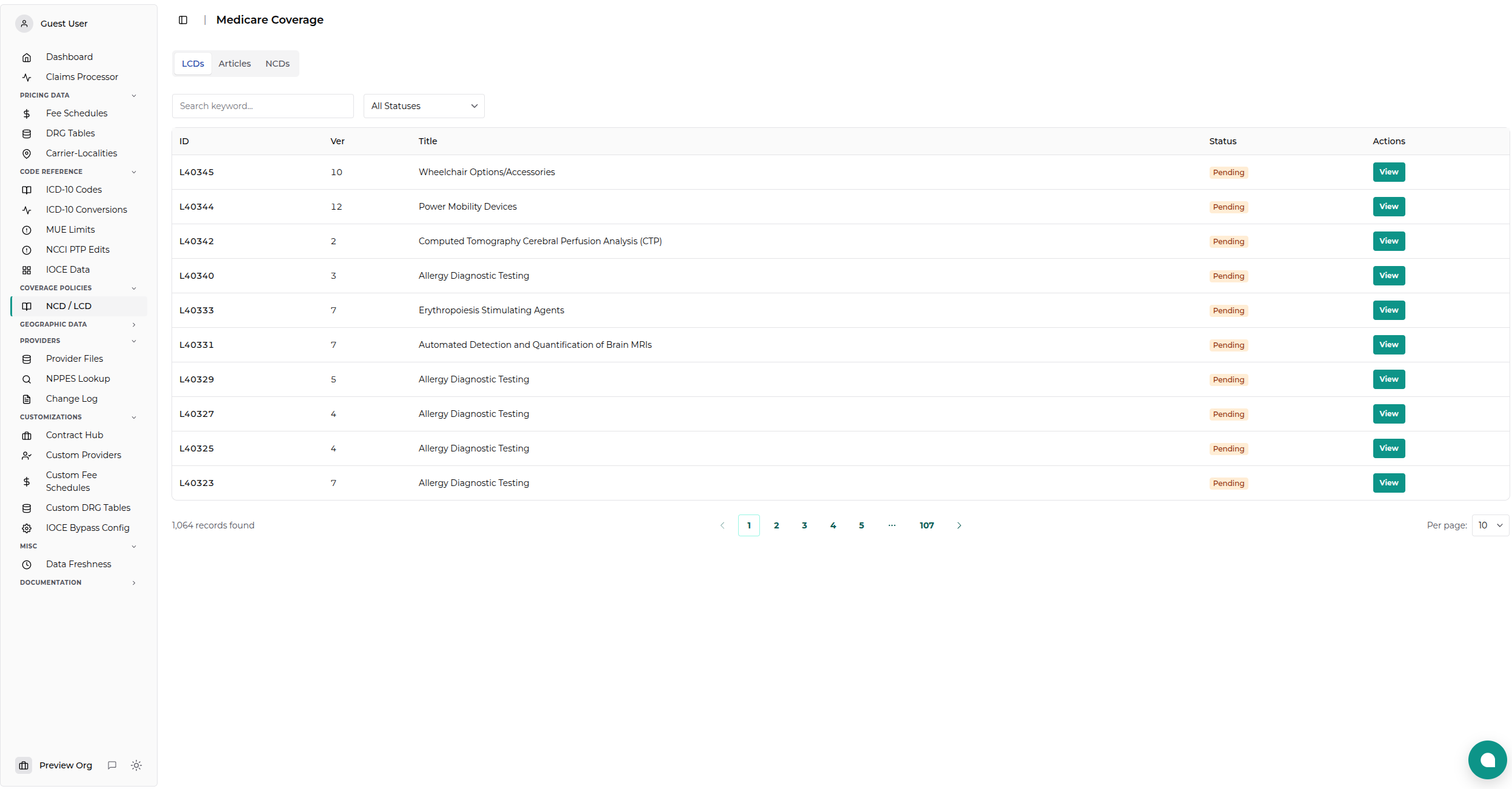
Data Coverage: - NCDs - National Coverage Determinations (CMS-wide policies) - LCDs - Local Coverage Determinations (regional MAC policies) - Articles - Billing & Coding guidance documents
Understanding Coverage Data
National Coverage Determinations (NCDs)
NCDs are national policy decisions by CMS that apply consistently across all Medicare Administrative Contractors (MACs). They determine:
- Whether a specific item or service is covered
- Under what conditions coverage applies
- Any specific coding or documentation requirements
Key Fields:
| Field | Description |
|-------|-------------|
| Section | NCD manual section number (e.g., 20.9.1) |
| Title | Full title of the NCD |
| Effective Date | When the NCD became/becomes effective |
| Version | Version number of this NCD |
Local Coverage Determinations (LCDs)
LCDs are regional policies issued by MACs that apply only within their jurisdictions. They provide:
- Coverage criteria specific to a geographic area
- Coding guidance and limitations
- Documentation requirements for specific services
Key Fields:
| Field | Description |
|-------|-------------|
| Display ID | LCD identifier (e.g., L35014) |
| Title | Full title of the LCD |
| Status | Current status (Future, Proposed, Current, Expired, Retired) |
| Contractor | MAC that issued the LCD |
| Effective Dates | Original and revision effective dates |
Billing & Coding Articles
Articles are companion documents to LCDs that provide:
- Detailed coding guidance
- ICD-10 code lists for covered diagnoses
- HCPCS code coverage information
- Documentation requirements
Key Fields:
| Field | Description |
|-------|-------------|
| Display ID | Article identifier (e.g., A57704) |
| Title | Full title of the article |
| Status | Current status |
| Article Type | Type of article content |
| Related LCD | Associated LCD, if any |
Using the Viewer
Searching NCDs
Navigate to the NCD tab and:
- Keyword Search: Enter search terms in the search box
- Searches NCD section numbers and titles
-
Press Enter or click Search to execute
-
Browse Results:
- Results show section number, version, title, and effective date
- Click View to open the full NCD document
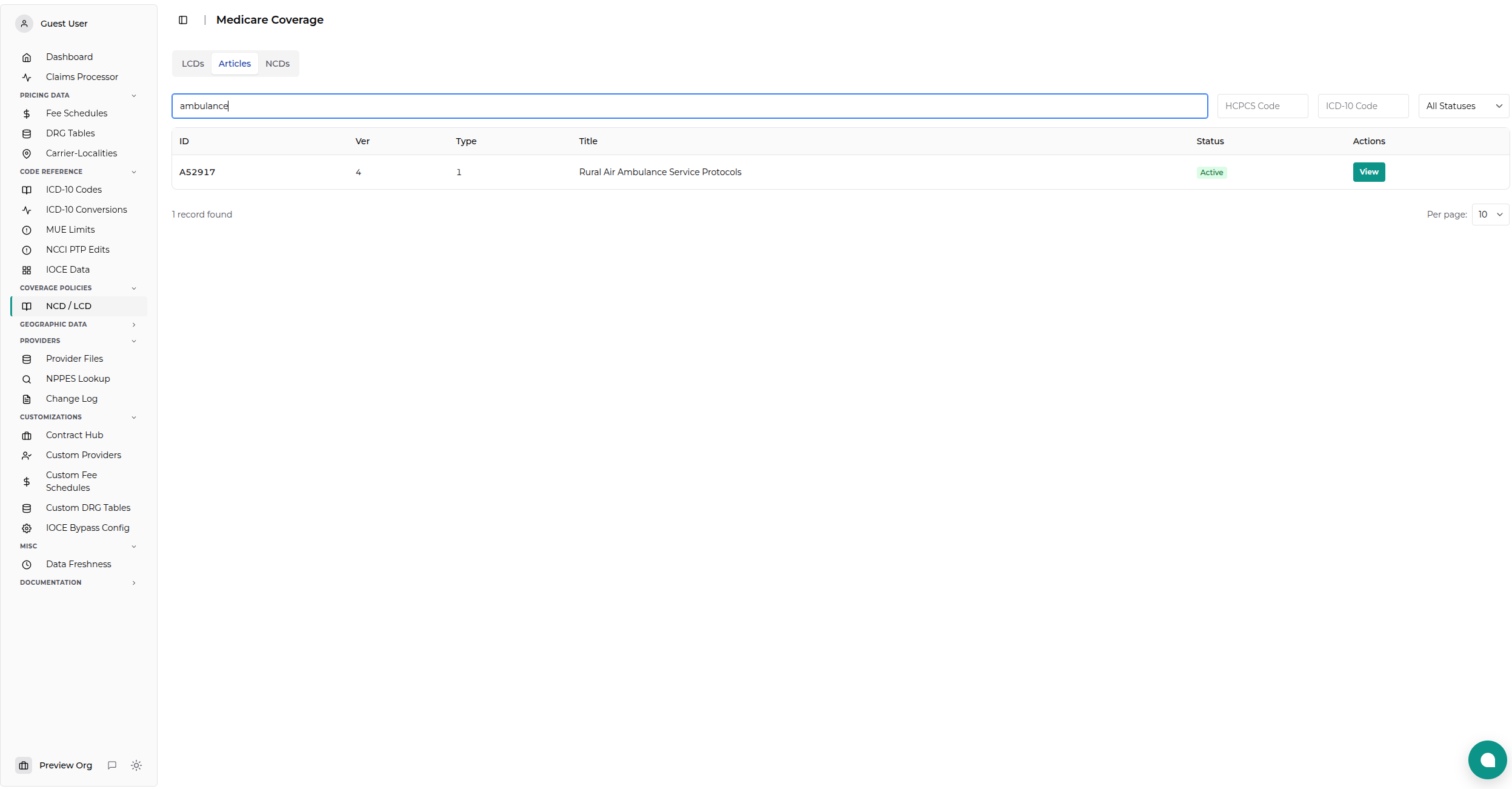
Example Use Case:
Search for "ambulance" to find all NCDs related to ambulance services
Searching LCDs
Navigate to the LCD tab and:
- Keyword Search: Enter Display ID or keywords
-
Supports partial matching (e.g.,
L350finds L35014, L35017, etc.) -
Filter by Status: Use dropdown to filter by:
- Current (active LCDs)
- Proposed (pending approval)
- Retired (no longer in effect)
-
Future (scheduled to take effect)
-
Browse Results:
- Click View to open the full LCD document
Searching Articles
Navigate to the Articles tab and:
- Keyword Search: Enter Display ID or keywords
-
Searches article identifiers and titles
-
Filter by Status: Same options as LCDs
-
Browse Results:
- Click View to open the full article document
Viewing Documents
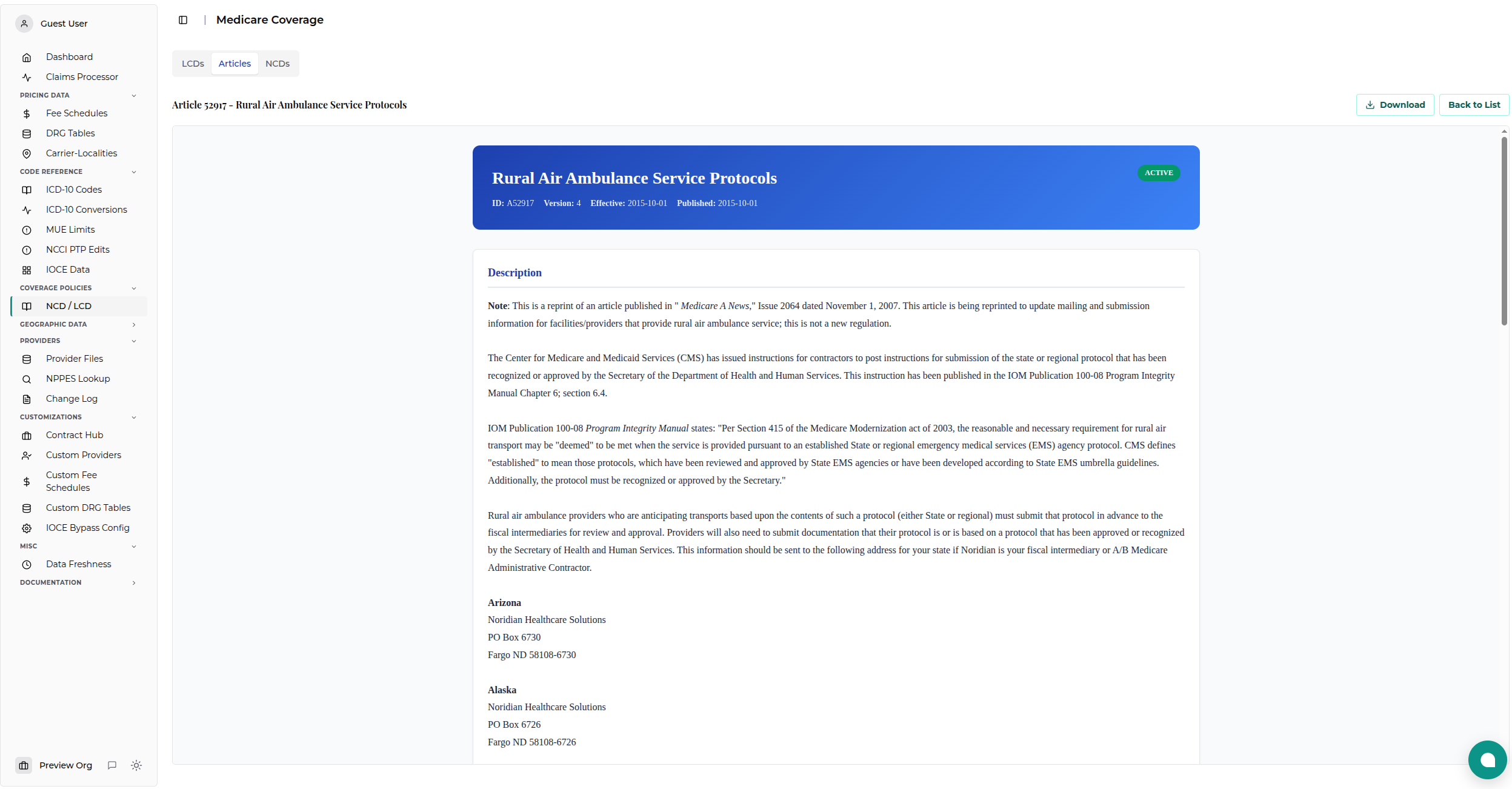
When you click View on any record, the full document opens in an embedded viewer:
Document Features
- Full HTML rendering of the official CMS document
- Clickable table of contents for navigation within the document
- External links open in new tabs automatically
- Internal anchor links work for in-document navigation
- Back to List button returns to the search results
Document Sections (LCDs/Articles)
Typical LCD and Article documents include: - Indications and Limitations - What's covered and when - Coding Guidelines - How to properly code services - Documentation Requirements - What medical records must show - ICD-10 Codes - Covered and non-covered diagnosis codes - HCPCS Codes - Applicable procedure codes - Revision History - Changes to the document over time
Document Sections (NCDs)
Typical NCD documents include: - Item/Service Description - What the NCD covers - Indications and Limitations - Coverage criteria - Cross References - Related NCDs and policies - Revision History - Policy changes over time
Common Use Cases
1. Verify Coverage Before Billing
Scenario: Check if a service is covered under Medicare
Steps: 1. Search for the service by name or code 2. Review applicable LCD(s) for your jurisdiction 3. Check NCD if a national policy exists 4. Review coverage criteria in the document 5. Verify documentation requirements
2. Research Claim Denial
Scenario: Understand why a claim was denied
Steps: 1. Search for the LCD or Article ID from the denial 2. Open the document 3. Review coverage criteria 4. Compare to your claim documentation 5. Identify missing requirements
3. Compare Regional Policies
Scenario: Understand coverage differences across MACs
Steps: 1. Search for LCDs by service name 2. Note which contractors have policies 3. Compare coverage criteria between MACs 4. Identify variations in coding requirements
4. Track Policy Changes
Scenario: Monitor updates to coverage policies
Steps: 1. Navigate to the LCD or NCD 2. Click View to open the document 3. Review Revision History section 4. Note effective dates for changes
Status Definitions
LCD/Article Status Values
| Status | Description |
|---|---|
| Current | Active policy currently in effect |
| Proposed | Draft policy open for comment |
| Future | Approved policy not yet effective |
| Retired | Policy replaced or no longer active |
| Expired | Policy that has passed its end date |
Status Filters
Use status filters to: - Show only Current policies for billing guidance - Find Proposed policies to comment or prepare - Review Retired policies for historical claims
Data Freshness
Update Frequency: Data is refreshed periodically when administrators trigger a full reload.
Source: CMS Medicare Coverage Database export files
Coverage: Includes all publicly available NCDs, LCDs, and Articles
Note: Check with your administrator for the last update date if you need real-time data.
Troubleshooting
No Results Found
Possible causes: 1. Search term too specific 2. Document uses different terminology 3. Policy doesn't exist for the service
Solutions: - Try broader search terms - Search by code instead of name - Check CMS website for latest data
Document Won't Load
Possible causes: 1. HTML file not yet generated 2. Data not loaded
Solutions: - Contact administrator to verify data is loaded - Try refreshing the page - Check if the document exists in search results
Links Not Working
Possible causes: 1. External CMS links may be outdated 2. Internal anchors may not match
Solutions: - External links open in new tabs by design - Use table of contents for navigation - Search for updated document versions
Best Practices
✅ DO:
- Start with LCDs for regional coverage - they're most commonly referenced
- Check NCDs when LCD references national policy
- Review revision history to understand policy changes
- Verify effective dates before applying coverage criteria
- Cross-reference LCDs with related Articles for complete guidance
❌ DON'T:
- Assume coverage without reading the full document
- Use retired policies for current billing decisions
- Ignore contractor differences across regions
- Skip documentation requirements listed in policies
Related Resources
Internal Documentation
- Fee Schedules Viewer - Medicare payment rates
- MUE Data Viewer - Medically unlikely edits
- Reference Codes - Code descriptions
API Access
- Coverage Data API - Programmatic access
- Authentication - API setup
CMS Resources
- Medicare Coverage Database - Official CMS source
- NCD Manual - Official NCD documentation
Summary
The Medicare Coverage Data Viewer provides comprehensive access to CMS coverage policies:
✅ Search NCDs - National coverage policies
✅ Browse LCDs - Regional MAC policies
✅ Review Articles - Billing & coding guidance
✅ View Documents - Full HTML rendering
✅ Filter by Status - Current, Proposed, Retired
✅ Research Coverage - Complete policy documentation
Use this tool to verify coverage, understand billing requirements, and research claim denials with authoritative CMS documentation.