App Documentation
Welcome to the Bedrock Billing App user guide. This documentation will help you make the most of our healthcare payment processing platform.
Overview
The Bedrock Billing App provides a comprehensive solution for healthcare payment calculations including DRG (Diagnosis Related Group) processing for various payment systems.
Features
Claims Processor
Process individual claims through our calculation engine with support for: - IPPS (Inpatient Prospective Payment System) - OPPS (Outpatient Prospective Payment System) - IPF (Inpatient Psychiatric Facility) - LTCH (Long-Term Care Hospital) - IRF (Inpatient Rehabilitation Facility)
DRG Tables
Manage and customize DRG tables for your organization's specific needs.
Provider Management
Configure custom provider settings and manage Medicare data files.
Getting Started
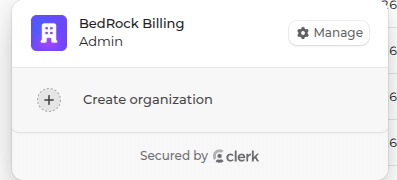
- Create an Organization - Set up your organization in the dashboard
- Configure Providers - Add custom provider configurations if needed
- Process Claims - Start processing claims through the Claims Processor
- Monitor Usage - Track your usage and API activity in the dashboard
User Roles
- Standard User - Can process claims and view organization data
- Admin - Has full access to organization settings and user management
Best Practices
- Always validate your claim data before processing
- Use custom DRG tables for organization-specific requirements
- Monitor your usage to stay within plan limits
- Keep provider data up to date for accurate calculations
Support
For help and support, please contact your organization administrator or reach out to support@bedrockbilling.com.