Fee Schedule Viewer
The Fee Schedule Viewer provides access to all Medicare fee schedules loaded into Bedrock Billing, allowing you to search, browse, and analyze pricing data for healthcare services.
Overview
Fee schedules define the payment amounts for medical services, procedures, and items under various Medicare payment systems. The viewer consolidates multiple fee schedule types into a single, searchable interface.
Available Fee Schedule Types
Physician Fee Schedule (PFS)
CPT/HCPCS codes for professional services
- Office visits and consultations
- Surgical procedures
- Diagnostic tests
- Therapy services
- Includes: National payment amounts, RVU values, modifiers, status indicators
Clinical Laboratory Fee Schedule
Laboratory tests and analyses
- Blood tests and panels
- Urinalysis
- Microbiology
- Molecular pathology
- Includes: National limitation amounts, gap-fill amounts
DME Fee Schedule
Durable Medical Equipment, Prosthetics, Orthotics, and Supplies (DMEPOS)
- Wheelchairs and walkers
- Hospital beds
- Oxygen equipment
- Prosthetic devices
- Includes: Fee schedule amounts by locality
Ambulance Fee Schedule
Emergency and non-emergency transport
- Ground ambulance (basic, advanced)
- Air ambulance (fixed-wing, rotary-wing)
- Mileage rates
- Includes: Base rates, mileage rates by locality
Using the Fee Schedule Viewer
Accessing the Viewer
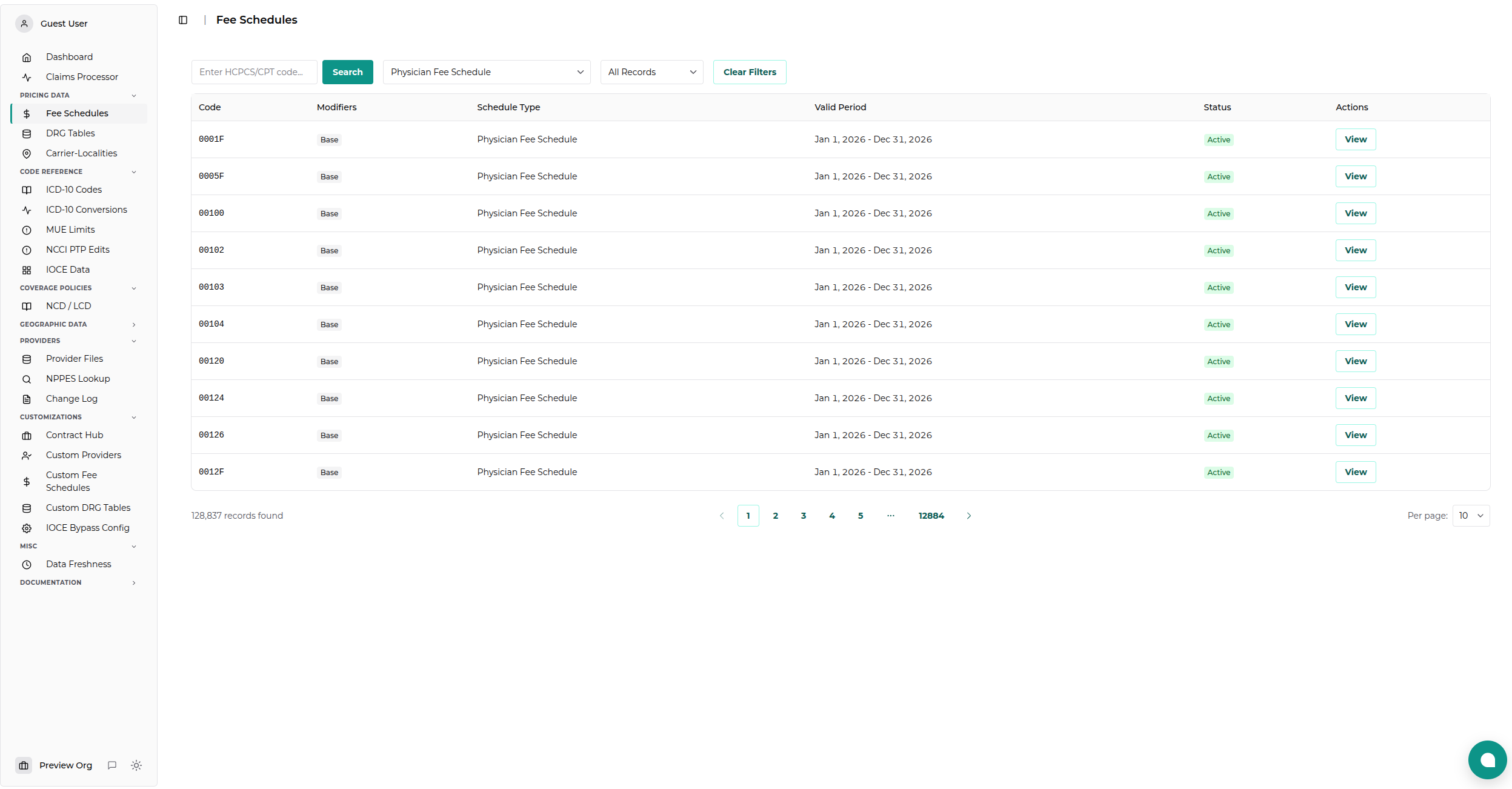
Navigate to Pricing Data → Fee Schedules from the main sidebar.
Search and Filter
Search by Code
- Enter a CPT or HCPCS code in the search box
- Partial matches are supported (e.g., "9921" finds all codes starting with 9921)
- Press Enter or click Search
Filter by Schedule Type
Use the dropdown to filter by specific fee schedule: - All Schedules - Physician Fee Schedule - Clinical Lab - DME - Ambulance
Filter by Modifiers
- Search for codes with specific modifiers
- View modifier-specific pricing
- Compare base rates vs modified rates
Understanding the Results
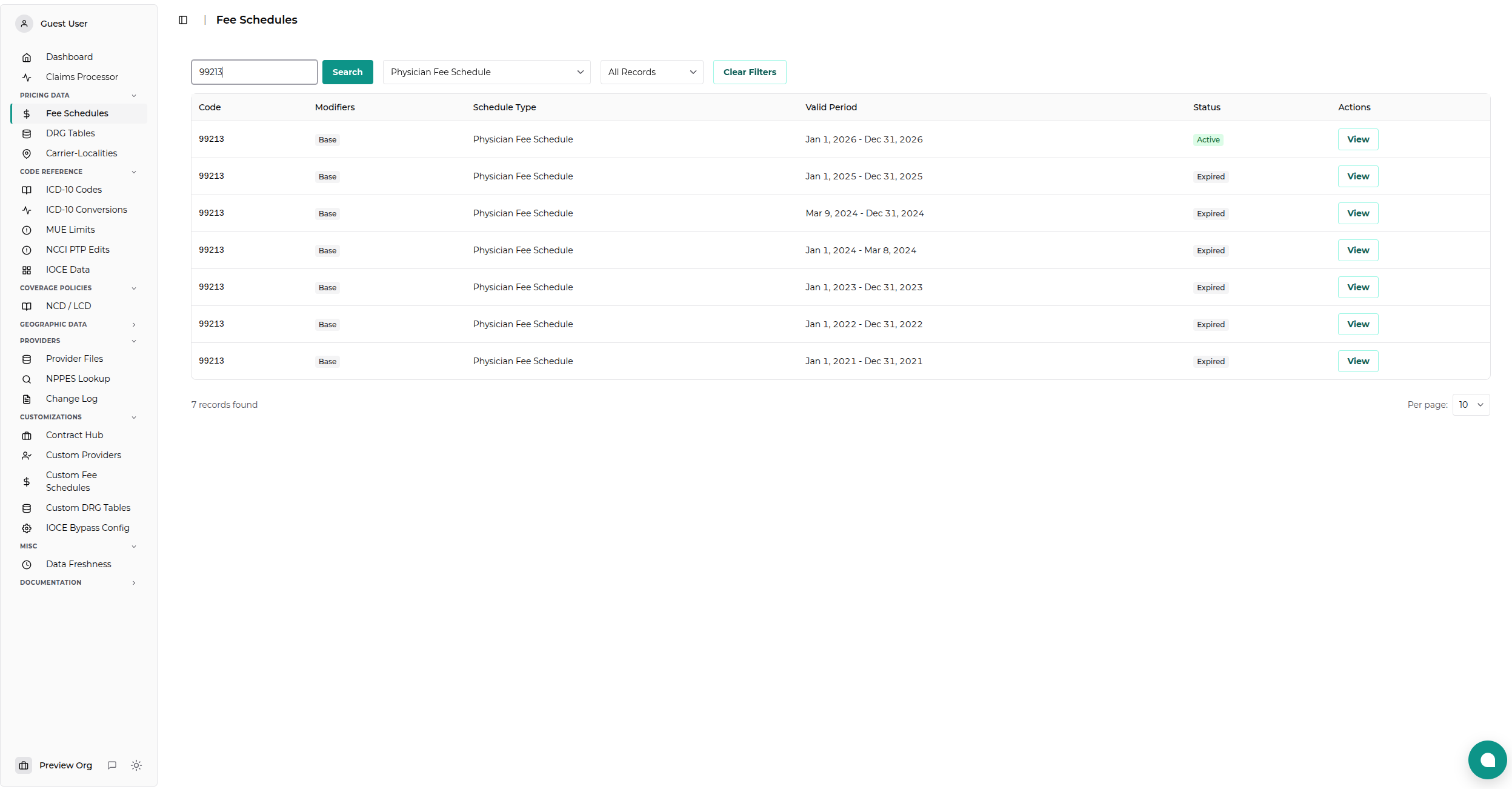
Each search result displays:
| Column | Description |
|---|---|
| Code | CPT or HCPCS code |
| Description | Short description of the service |
| Schedule Type | Which fee schedule (PFS, OPPS, etc.) |
| Modifiers | Applied modifiers, if any |
| Pricing | For PFS: Qualifying APM Participant (QP) vs Standard rate |
| Start Date | When this rate becomes effective |
| End Date | When this rate expires |
| View | Detailed pricing info (click to expand) |
Viewing Detailed Information
Click on any row to expand and see:
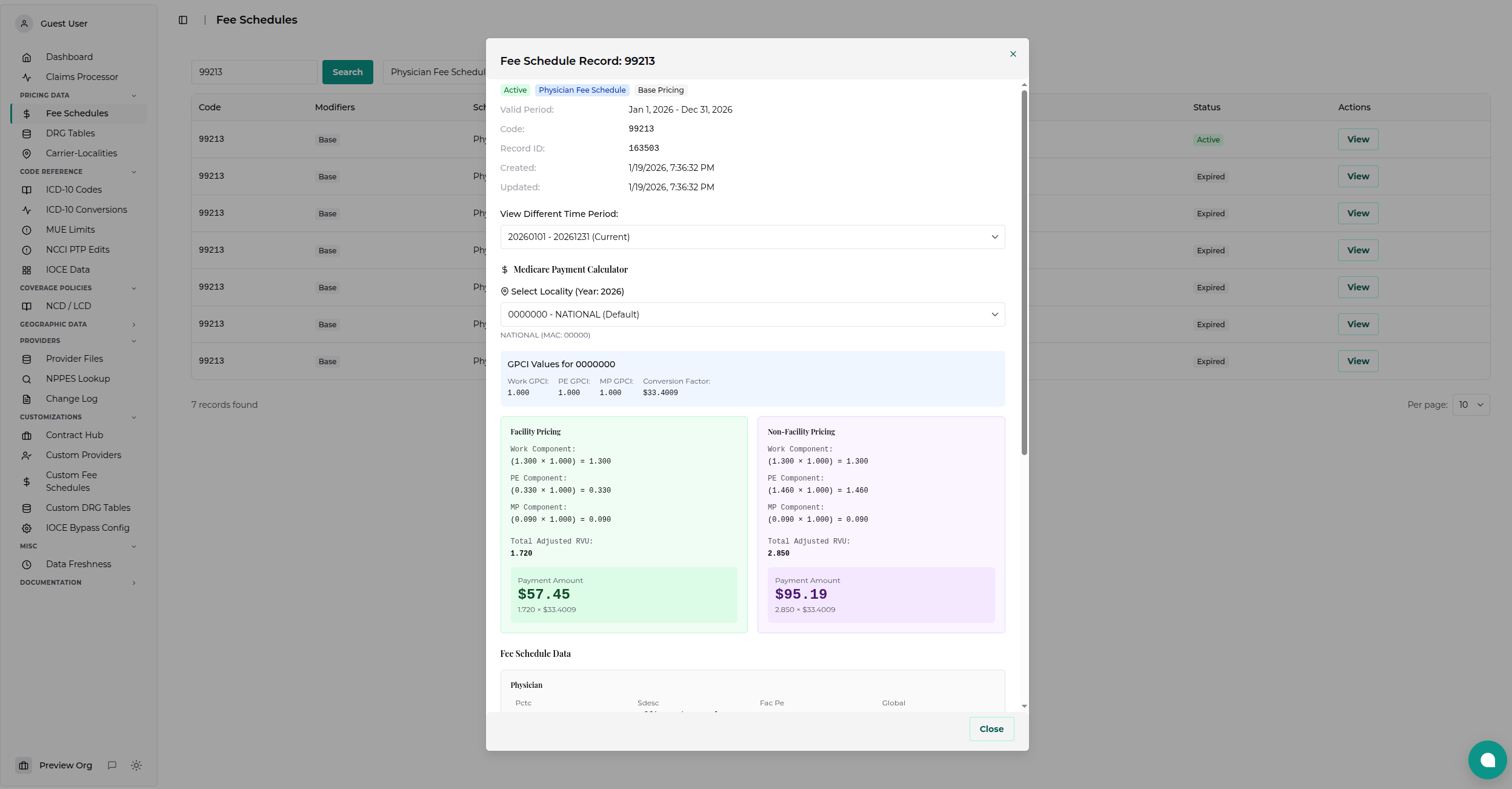
Physician Fee Schedule Details
- Work RVU: Physician work component
- Practice Expense RVU: Practice costs
- Malpractice RVU: Professional liability
- Total RVU: Sum of components
- Conversion Factor: Dollar multiplier
- Price Indicator: 1 = QP, 9 or NULL = Standard
- National Payment Amount: RVU × Conversion Factor
- Status Indicator: Active, bundled, invalid, etc.
Clinical Lab Details
- National Limitation Amount: Maximum payment
- Gap-Fill Amount: If applicable
Pagination
- Default: 25 results per page
- Navigation: Use First, Previous, Next, Last buttons
- Page Info: Shows current page and total results
- Jump to Page: Click page numbers to navigate directly
Common Use Cases
Finding Current Payment for a Service
- Enter the CPT/HCPCS code (e.g., "99213")
- Leave date filter at default (current)
- View the national payment amount
- Check for any modifiers that might apply
Comparing Rates Over Time
- Search for a code
- Adjust the date range to span multiple years
- Sort by Start Date
- Compare rate changes year-over-year
Checking Modifier Impact
- Search for a base code (e.g., "27447")
- Look for entries with modifiers (e.g., "27447-LT")
- Compare base vs modified rates
- Note any pricing adjustments
Understanding Fee Schedule Data
Temporal Validity
Fee schedules include start and end dates: - Open-ended: End date of 12/31/2199 means currently active - Historical: Past end dates indicate superseded rates - Future: Future start dates show pending changes
Modifiers
Modifiers affect payment: - Bilateral (50): Often 150% of base - Multiple procedures (51): Often reduced payment - Assistant surgeon (80): Percentage of primary surgeon fee - Reduced services (52): Reduced from full service fee
Status Indicators
Troubleshooting
Code Not Found
- Check spelling: Verify the code is correct
- Check schedule type: May be in a different fee schedule
- Historical codes: Some codes are retired/deleted
Unexpected Rates
- Locality-specific: Some rates vary by geography (use Localities viewer)
- Modifier impact: Modified codes have different rates
- Date sensitivity: Rates change quarterly or annually
Missing Data
- Recent updates: Data may not be loaded yet
- Admin privileges: Contact admin to trigger data reload
- CMS delays: Sometimes CMS delays releasing files
API Access
For programmatic access to fee schedule data, see the Fee Schedules API Documentation.
Related Topics
- MUE Data Viewer - Check unit limits for codes
- Localities Viewer - View GPCI adjustments by location
- Claims Processing - Use fee schedules in claims
Last updated: November 18, 2025